How to Automate Invoice Processing for Your SME
Automating invoice processing eliminates the manual effort of creating, sending, tracking, and reconciling invoices — reducing cost per invoice by up to 80% while ensuring invoices go out on time, every time. For Singapore SMEs, this translates directly into improved cash flow and reduced administrative burden.
What Does Automated Invoice Processing Actually Look Like?
In a fully automated workflow, invoices generate themselves when a triggering event occurs — an order is completed, a service is delivered, or a billing cycle date arrives. The system pulls relevant data from your sales or project records, applies the correct pricing and tax calculations, formats the invoice according to your template, and delivers it to the customer via their preferred channel.
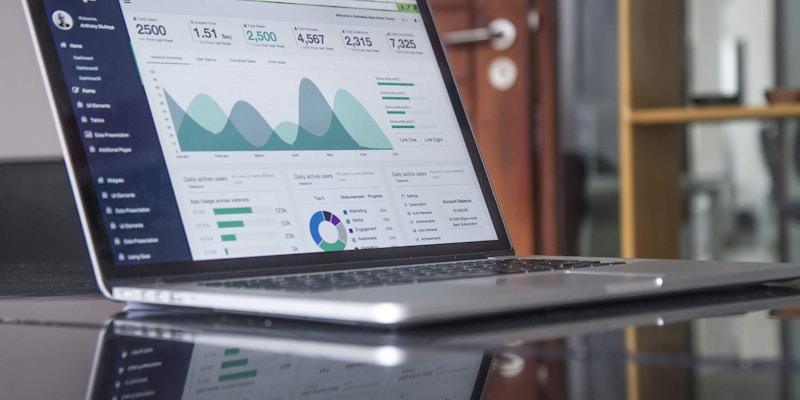
On the receiving end, payment tracking happens automatically. The system matches incoming payments to outstanding invoices, flags overdue accounts, and sends reminder sequences without anyone lifting a finger. Your finance team sees a real-time dashboard showing cash flow status rather than a stack of spreadsheets that are already outdated by the time they are compiled.
How Much Time Does Invoice Automation Actually Save?
The average SME spends 5-15 hours per week on invoice-related tasks: creating invoices, checking details, sending them out, following up on overdue payments, and reconciling accounts. Automation reduces this to under one hour per week of oversight, freeing your team to focus on activities that generate revenue rather than document it.
Beyond direct time savings, automation eliminates the hidden cost of invoice errors. Incorrect invoices trigger payment disputes, require credit notes, and damage customer relationships. Automated systems that pull data directly from source records virtually eliminate these errors.
What Systems Can Be Integrated with Invoice Automation?
Invoice automation works best when connected to your other business systems. Integration with your CRM ensures customer details are always current. Connection to your inventory or project management system triggers invoices at the right moment. Integration with your accounting software eliminates manual journal entries. Payment gateway integration enables one-click payment from the invoice itself.
For Singapore SMEs, integration with GST calculation and IRAS reporting requirements is particularly valuable, ensuring compliance without additional manual effort.
How Do You Get Started with Invoice Automation?
Start by documenting your current invoice workflow: who creates invoices, what data they need, where that data comes from, how invoices are delivered, and how payments are tracked. This mapping reveals the specific bottlenecks and error points that automation should address first.
A phased implementation works best. Begin with automated invoice generation for your most common transaction type, prove the reliability, and then expand to cover additional invoice types, payment reminders, and reconciliation. Most SMEs complete the full transition within two to three months.
Frequently Asked Questions
Will automated invoices look professional?
Yes. Automated invoicing systems use customisable templates that match your brand identity — logo, colours, fonts, and layout. The output is typically more consistent and professional than manually created invoices because the formatting is standardised across every document.
Can invoice automation handle recurring and one-off billing?
Absolutely. Modern systems support recurring invoices on custom schedules, milestone-based billing for projects, one-off invoices for ad-hoc work, and hybrid arrangements. Rules can be configured for each customer or contract type.
What if a customer disputes an automated invoice?
Automated systems maintain a complete audit trail showing exactly what data was used to generate each invoice. This makes dispute resolution faster and more transparent than manual processes, where reconstructing the basis for an invoice amount can be time-consuming.
Ready to Transform Your Business?
Let Digital Perpetual help you automate, streamline, and grow.
Get Started with Digital Perpetual →
